
Holidays
You can create and manage holidays from the Holidays menu in the sidebar. The menu consists of two modules:
- Holidays
- Weekends
- All Holidays
Holidays
You can create new holidays from the Holidays > Holidays page. There are two way to create a new holidays.
1. Quick Add:
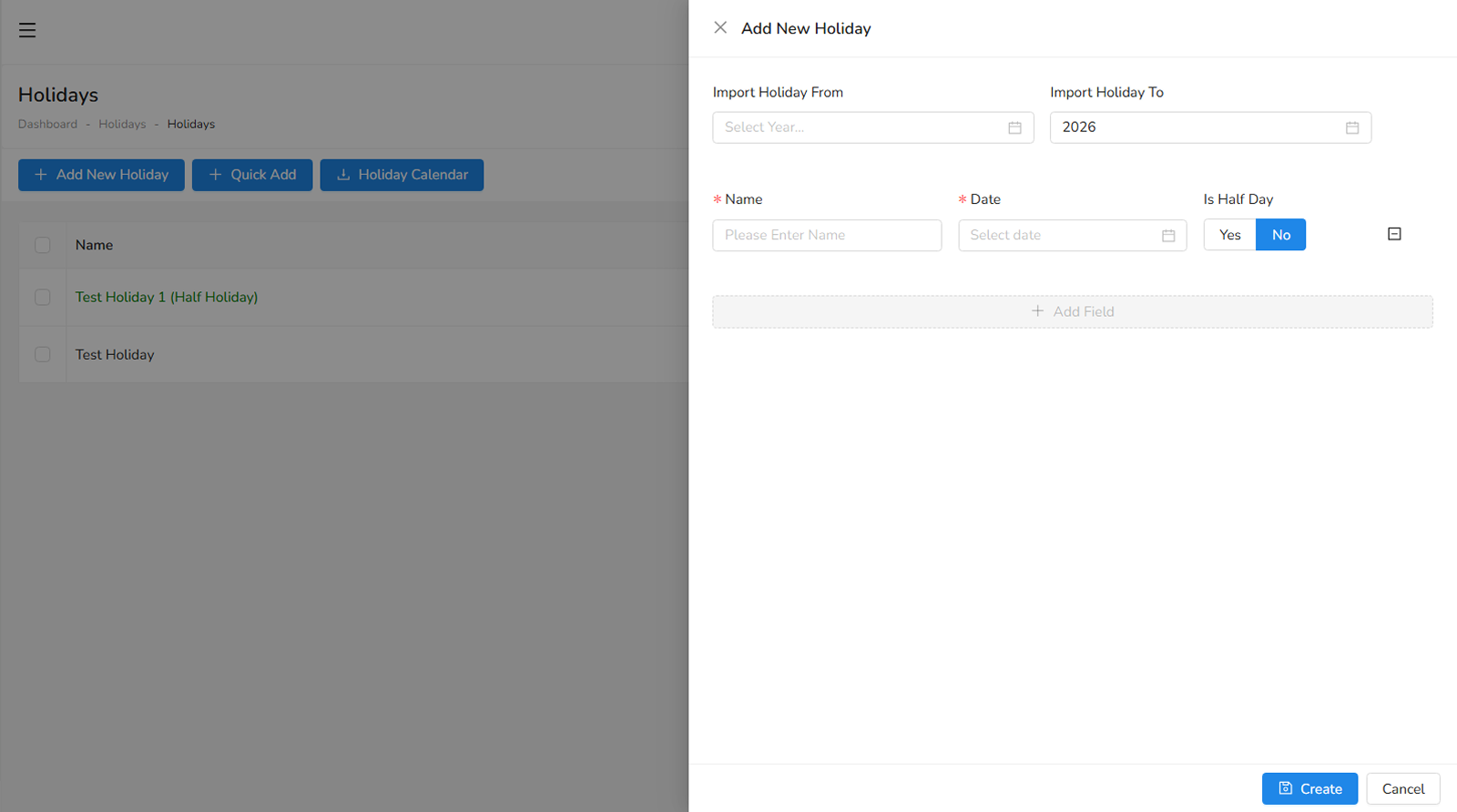
You can import pervious year holidays (if holidays of previous year created) through choosing year and modify them to present year.
2. Add New Holiday - fill the following fields to create a holiday:
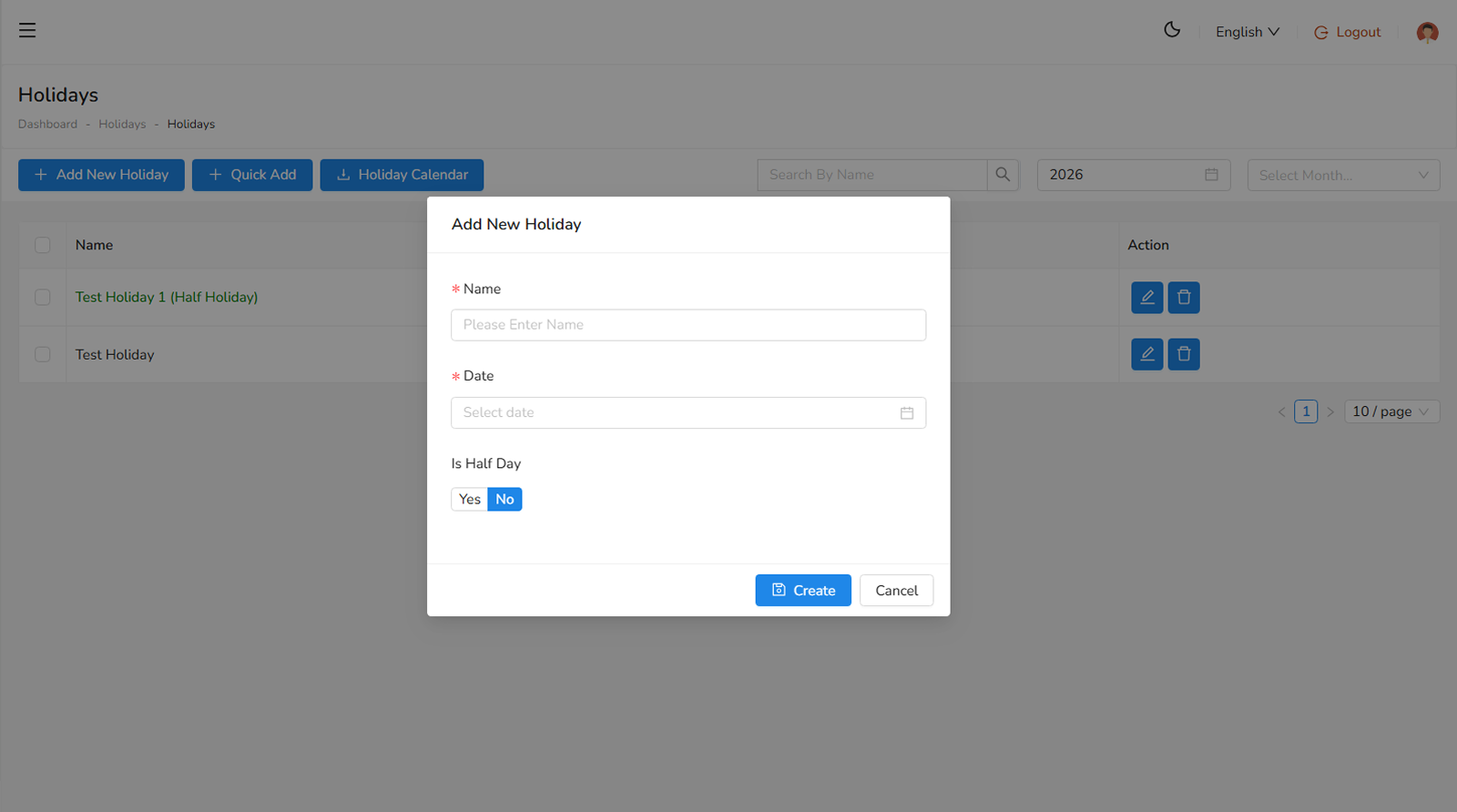
- Name, specify the name of the holiday (required).
- Date, specify the date of the holiday (required).
Weekends
You can create new weekends from the Holidays > Weekends page. There are two way to create a new weekends.
1. Quick Add:
You can import pervious year holidays (if holidays of previous year created) through choosing year and modify them to present year.
2. Add New Weekend - fill the following fields to create a weekend:
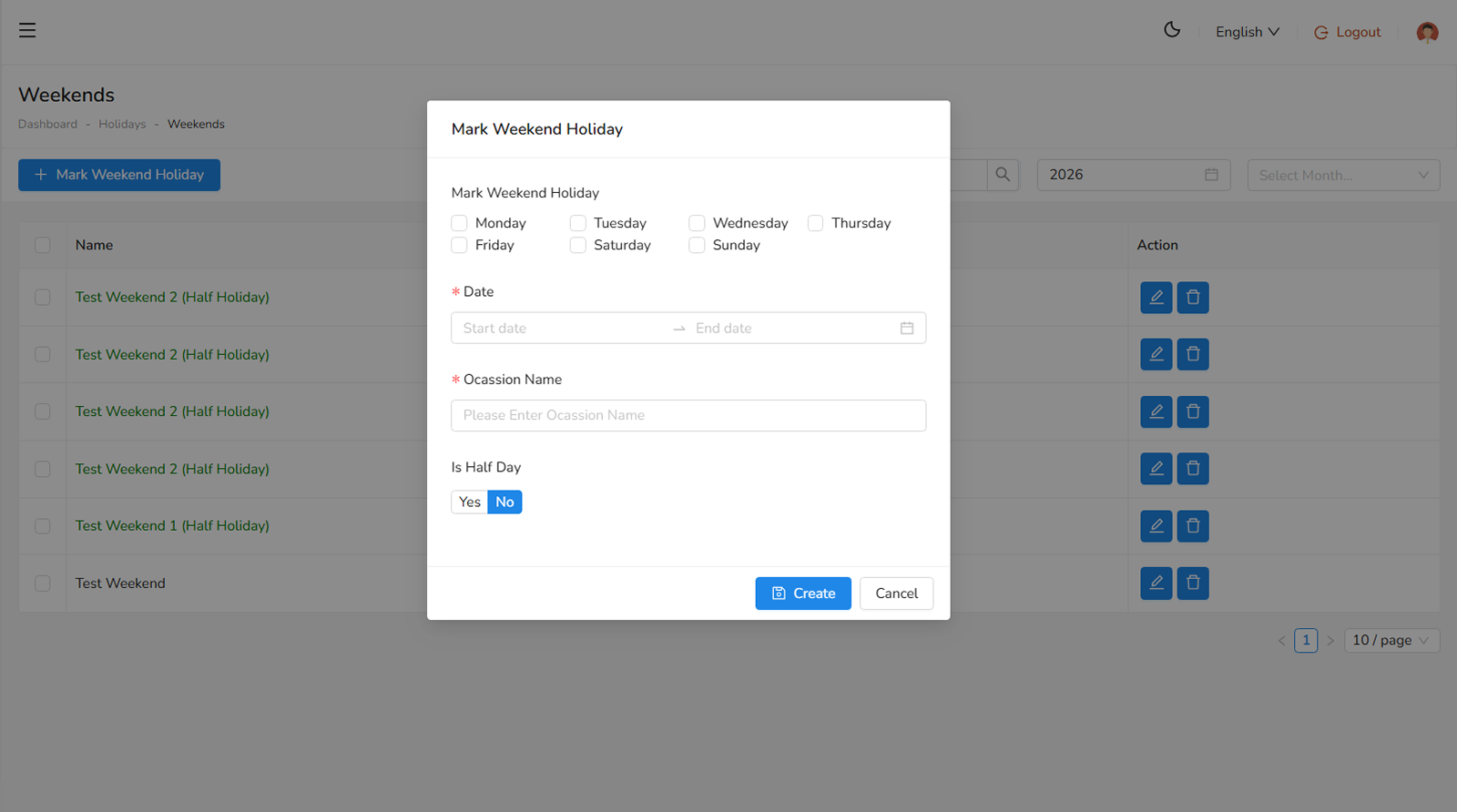
- Mark Weekend Holidays, check the mark of days of weekend (required).
- Date, specify the date range of the weekend (required).
- Occasion Name, specify the reason for weekend (required).
All Holidays
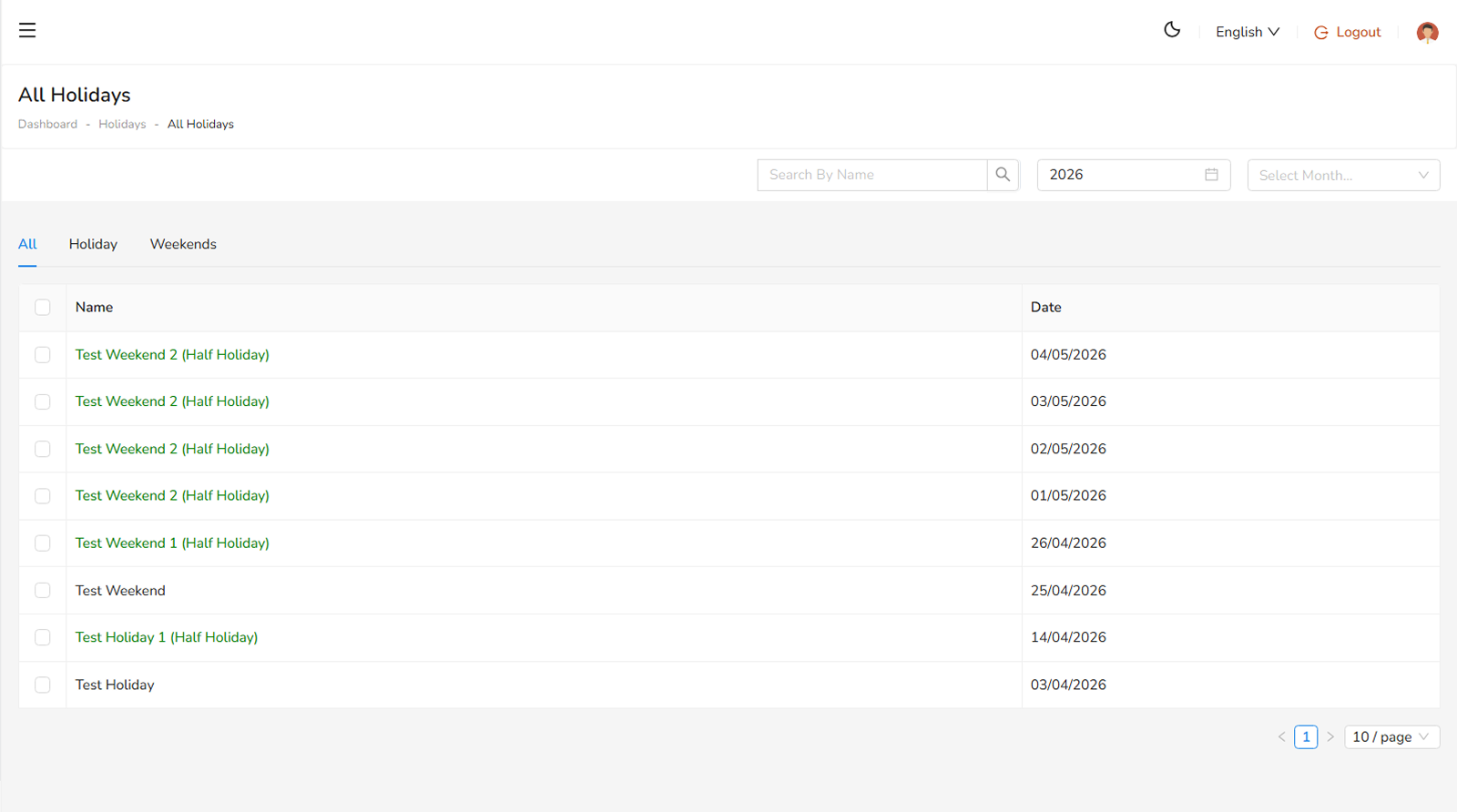
All Holidays you can observe and analysis on the Holidays > All Holidays page.
On this page
Was this helpful?
Your feedback helps improve the documentation.