
Hrm Settings
Hrm Settings to set the all hrm settings. To create, update or manage hrm settings navigate Settings menu in sidebar then HRM Settings menu from settings sidebar.
Hrm Settings
To create or update hrm settings, all fields are divided into three sections:
1. Attendance Settings to manage attendance fill up the following fields:
Attendance Settings
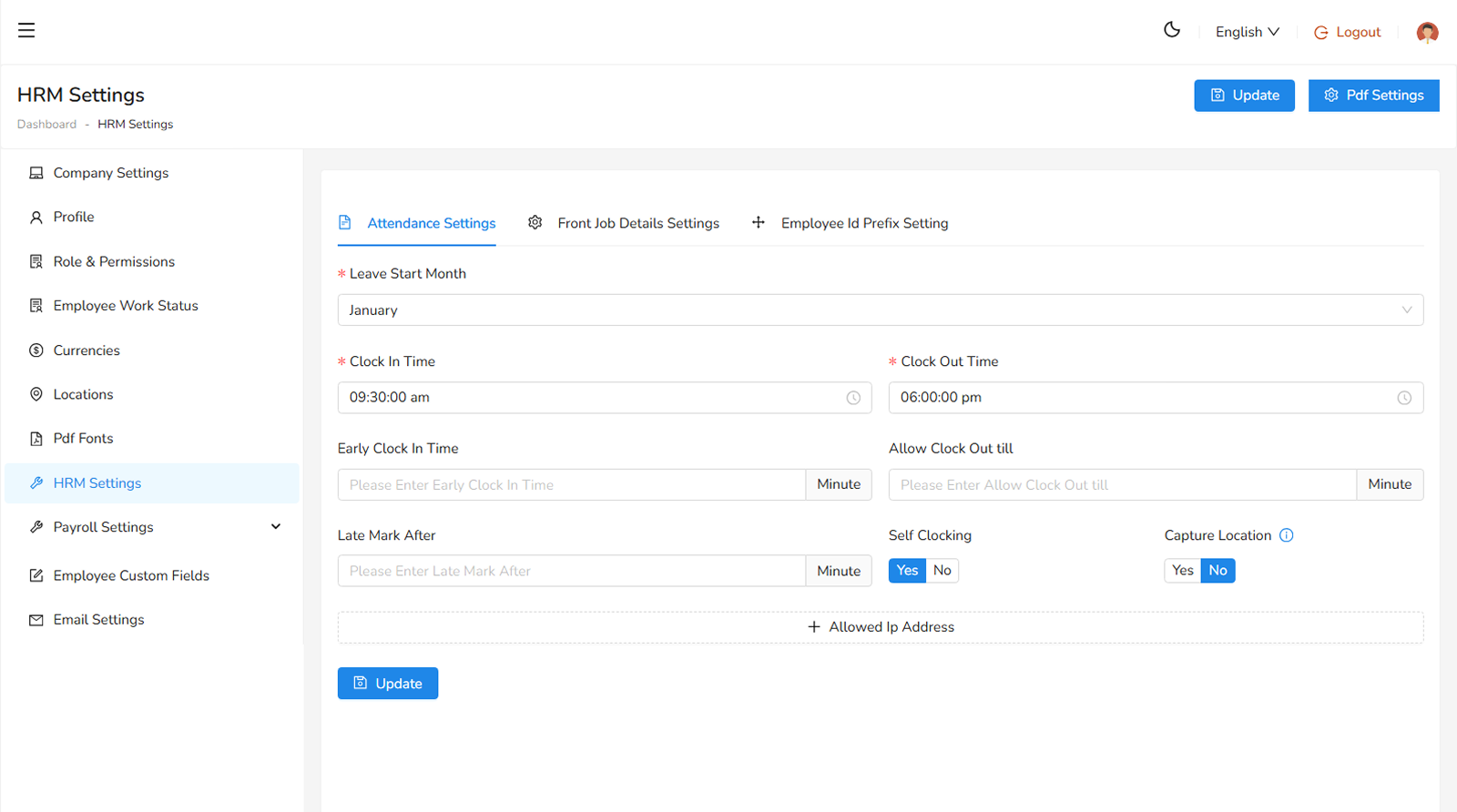
- Leave Start Month, select the month from which the attendance create (required).
- Clock In Time, the designated time when employees are expected to clock in (required).
- Clock Out Time, the designated time when employees are expected to clock out (required).
- Early Clock In Time, the earliest time employees are allowed to clock in. Clocking in before this time is not permitted.
- Allow Clock Out Time, the latest time employees are allowed to clock out. Clocking out beyond this time is restricted.
- Late Mark After, the threshold after which an employee is considered late.
- Self Clocking an option to enable or disable self-clocking for employees.
- Allowed IP Address are the list of authorized IP addresses from which employees can clock in and out.
2. Front Job Details Settings
Front Job Details Settings
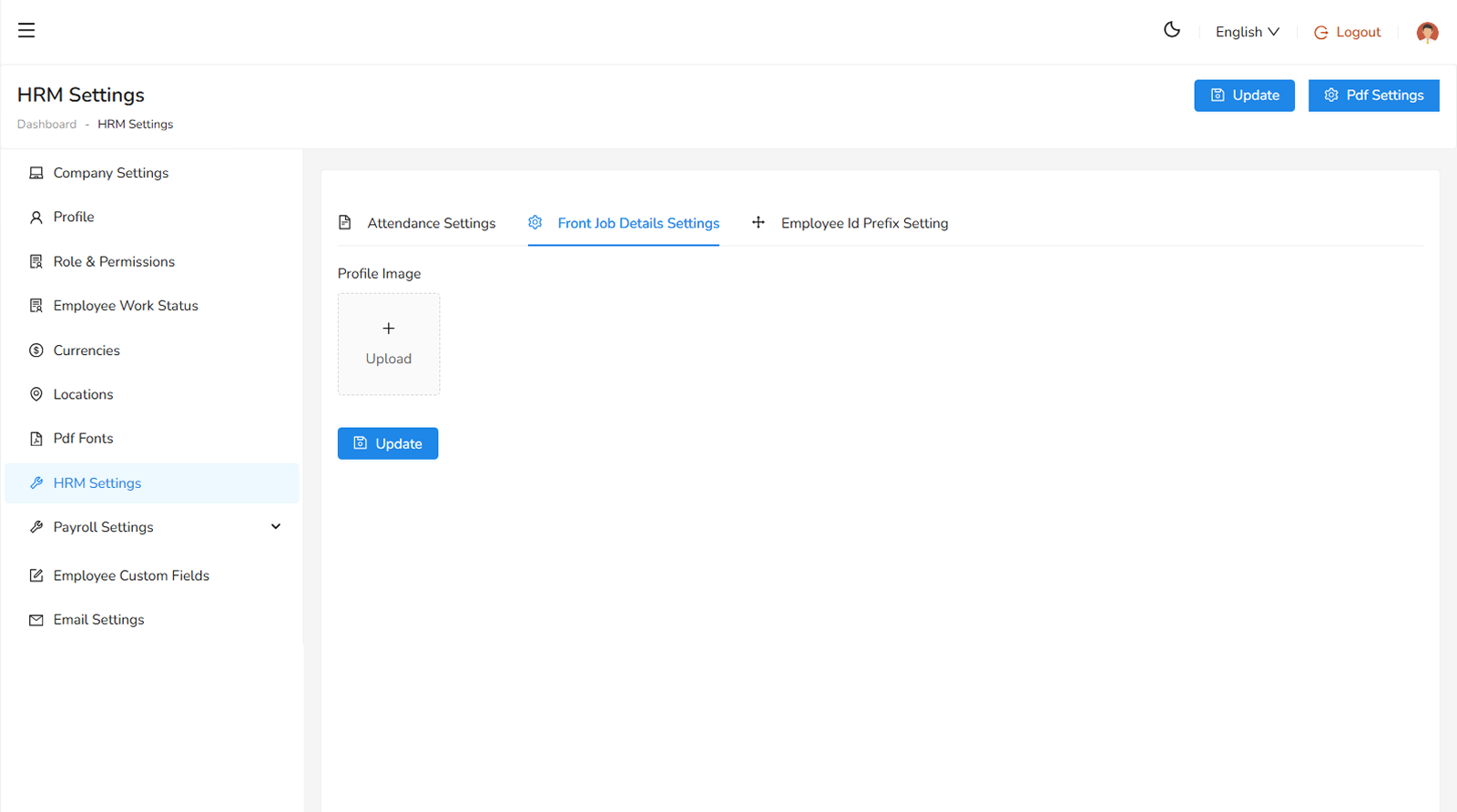
Front Job Details Settings, upload an image.
3. Employee ID Prefix Settings
Employee ID Prefix Settings
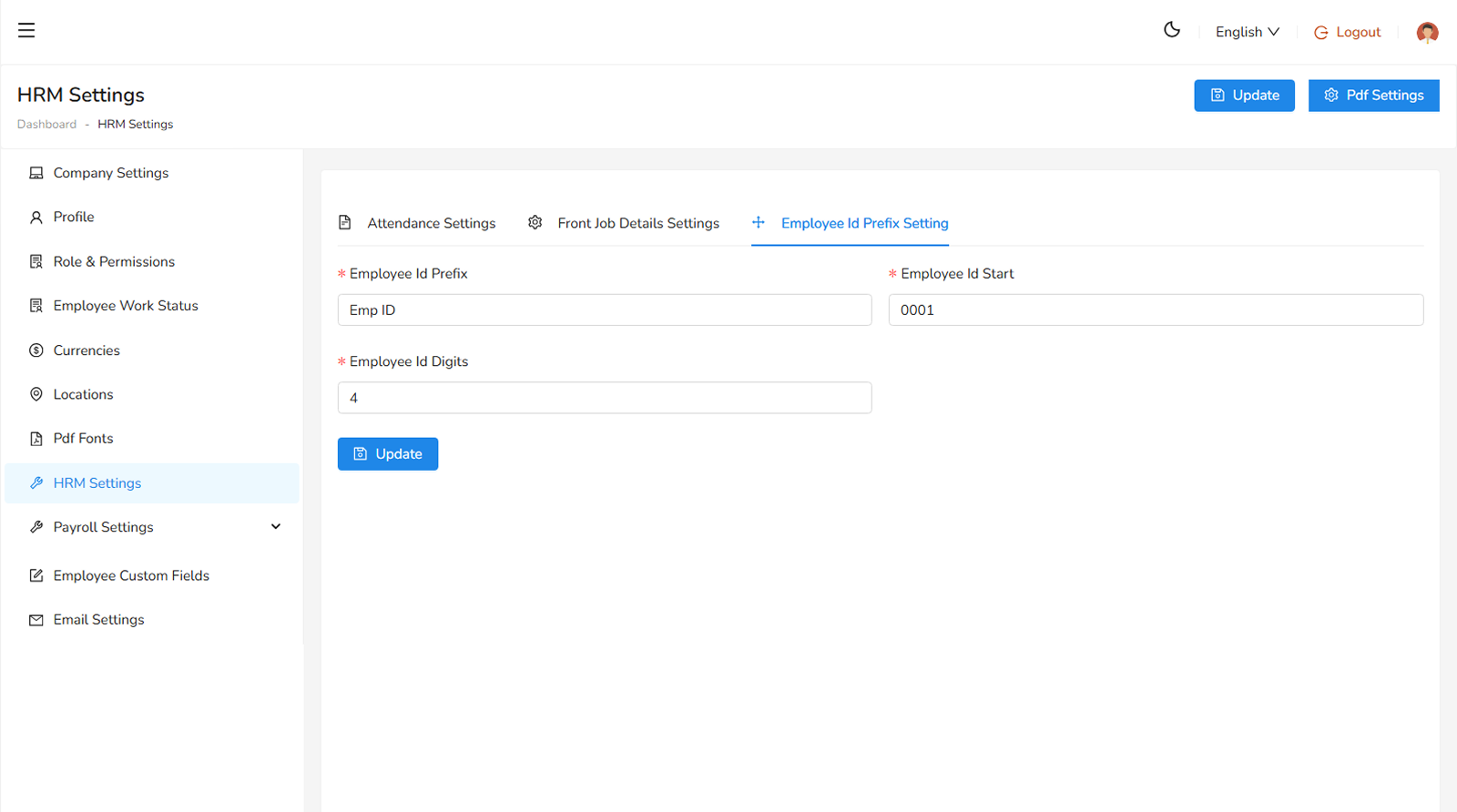
- Employee Id Prefix, set a perfix for the employee id (required).
- Employee Id Start, set a four or five digit number from which employee id will be started (required).
- Employee Id Digit, set a number of digit of employee id, it must equal or more then employee id start digits.
Was this helpful?
Your feedback helps improve the documentation.