
Translation Manager
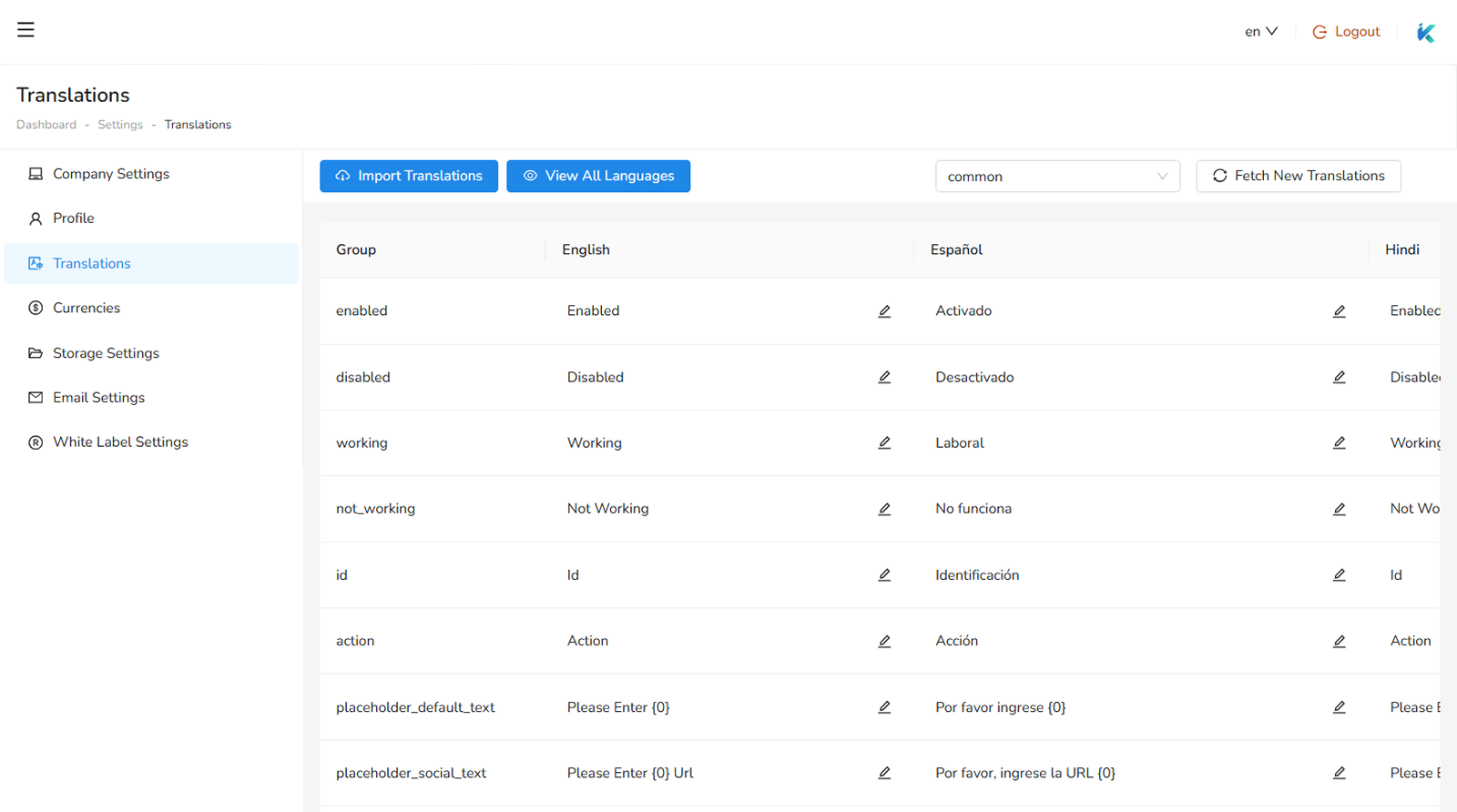
You can create and update many languages according to your requirement. You can manage tranlations from Settings > Translations Page. We divided each words of application into groups. These are based on left sidebar. You can use following steps to create translations:
- First Create New Language
- Select your Group i.e. users, menu etc.
- Update translation words according to your language.
Language
First step is to create a new language using following details
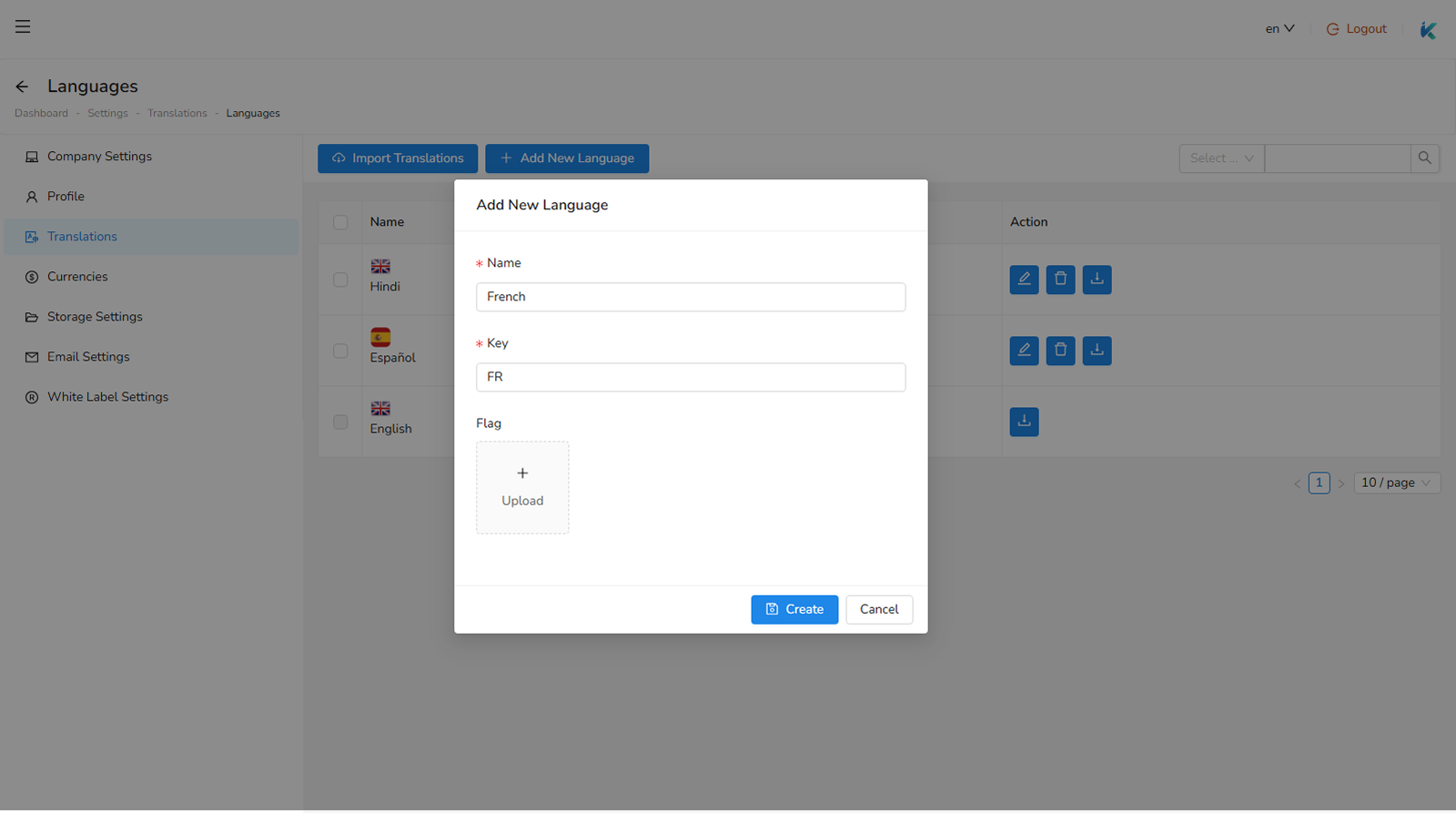
- Name : name of language which you want to add.
- Key : short name for language. For e.g. en will be short name for English.
- Flag : flag image for your language. Recommended size is (24px x 24px).
After creating your language you can update translation for your current language.
Was this helpful?
Your feedback helps improve the documentation.