
Roles & Permissions
By using roles & permissions you can control your staff members. Permissions are predefined and you can create roles according to your requirement and assign permissions to that role.
Each staff member must have a role so that they can access the assigned modules and features inside the application.
Roles & Permissions
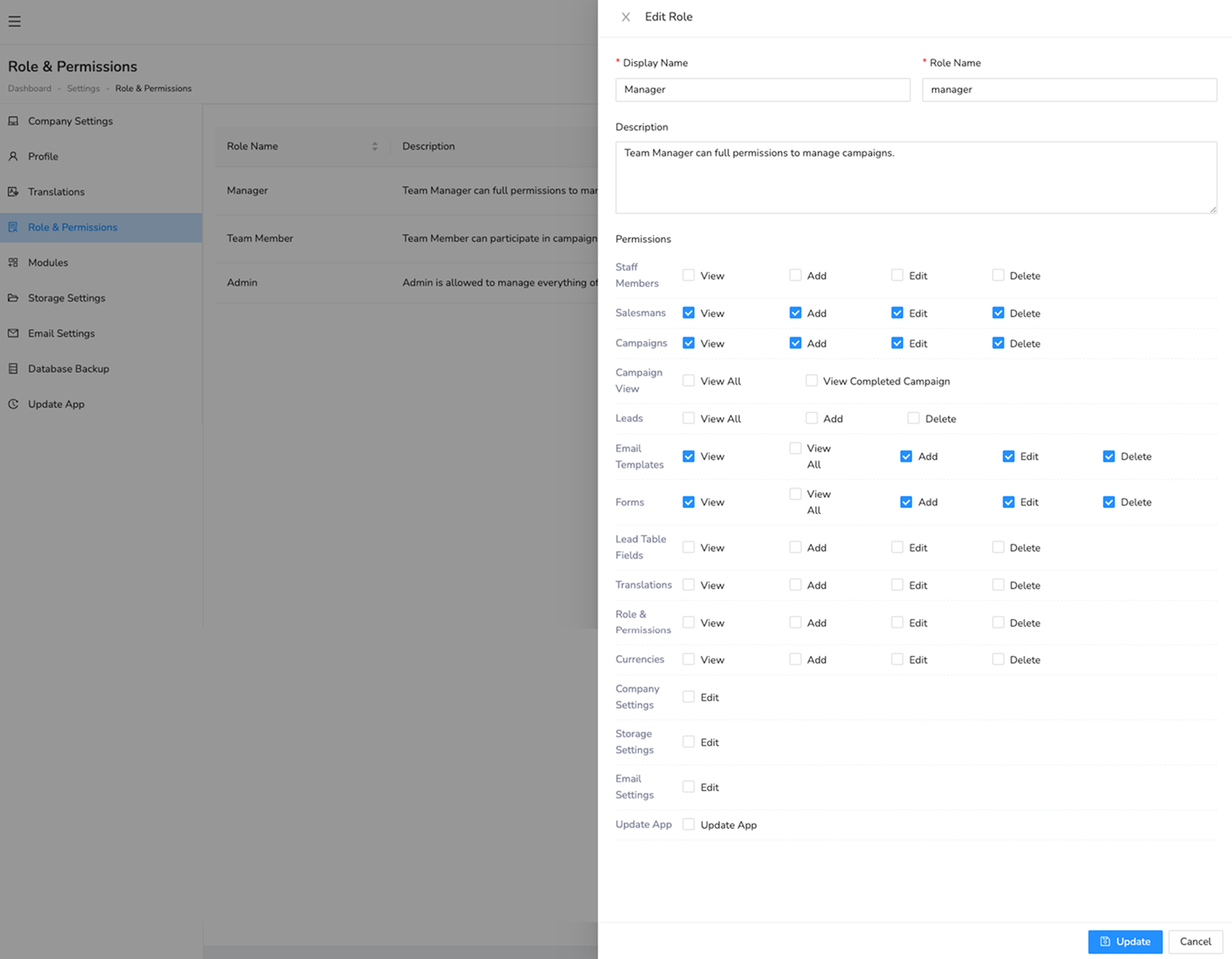
To create a role follow the below steps:
- Go to Settings > Roles & Permissions.
- Create a new role and assign permissions.
- You can create many roles according to your requirement using permissions like Call Center Manager, Calling Agent etc.
- Admin role is predefined and cannot be deleted.
Was this helpful?
Your feedback helps improve the documentation.